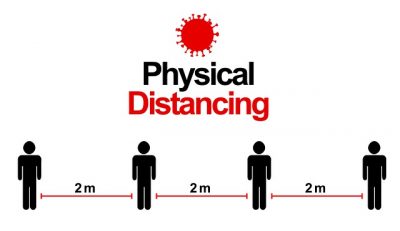
It is looking increasingly likely that social distancing and other protective measures are set to be the new normal for some time to come – in the workplace as well as public spaces. As a result, many employers are facing difficult decisions about keeping their business up and running while ensuring staff stay safe.
One of the changes that many are considering is staggering staff attendance so the two-metre rule can be maintained – which in most cases means setting up a staff rota. For first-timers, this can be a daunting task.
With the help of purpose-built rota software, however, even the most complex working arrangements can be managed quickly and easily, leaving managers more time to deal with other tasks.
A rota is all about balance…
Setting a rota is essentially a balance between the cover you need and employee availability. It sounds simple – but when you throw in issues such as holiday entitlement, part-timers, unexpected absences, different pay grades, TUPE terms, public holidays, TOIL, flexitime and so on, it is far from straightforward.
Our scheduling software allows users to deal with all these situations and more at the touch of a button. It also allows employees’ regular hours to be stored on a rolling rota so there is no need to keep re-inputting data. And when there are gaps to be filled, the software can filter employees via criteria that determine their rate of pay, such as training, qualifications and seniority, so you can be sure of staying within budget.
Sharing shift info? There’s an app for that
Sharing shift information quickly and reliably is a key element of a smooth running rota. With our smartphone apps, shift details can be sent direct to employees’ phones as soon as the rota is set. They can also use the app to confirm their shifts and other related tasks, such as managing leave and expenses.
We can even supply smartphone or tablet-based clocking apps to keep an accurate record of attendance if required.
Find out more…
For more information about our rota software, or any other attendance management solutions, speak to one of our team.
One of the side-effects of the coronavirus pandemic is that we have all become much more aware of hygiene procedures, with government advice on hand washing and disinfecting surfaces with increased regularity becoming embedded in the routine of our daily lives.
This has caused our clients to consider the most effective way of cleaning their attendance recording hardware and so address employee concerns about the frequency with which this equipment is touched by multiple people.
Regular hand-washing is more important than ever
Like any hard surface – whether it be a door handle, desk or computer keyboard – germs can survive for a varying period of up to 72 hours after contact (source: www.gov.uk). We therefore recommend cleaning your clocking equipment more frequently using the usual recommended method while also encouraging employees to follow the government’s advice on washing their hands more often and for a minimum period of 20 seconds.
How technology can make staff clocking more hygienic
Before the current pandemic, a quick visual check or once weekly clean would have satisfied most staff that the contact they had with items in their work environment was perfectly safe. Understandably that view has changed and may well continue even after the threat from Covid-19 has been seen to pass.
In the belief that attitudes may fundamentally change on hygiene in the workplace, we have been asked by clients if options exist for equipment that requires no contact by the employee.
In short, there is no attendance hardware used by multiple staff that enables zero contact from the user. As a minimum, the employee will need to enter the in or out direction of their record. A face recognition terminal provides the facility to stand away from the hardware and thereby minimise contact with it while also offering the advantage of unique biometric recognition. A tablet running one of easyLog’s attendance apps will still require an employee to touch it but provides a flat surface that makes the cleaning process simple and efficient.
Our smartphone app means users do not have to share equipment
If staff members each possess a smartphone, easyLog offers options with easily downloadable apps that allow reliable and accurate attendance recording without recourse to equipment used by others. Of course, the practicality of this will depend on the workforce, the numbers involved and layout of the entrance area and specific clocking location.
These are all options that easyLog is happy to discuss now or in the post-pandemic, and probably more hygiene-conscious, world into which businesses will emerge. Until that time, please stay safe.
If you offer your cleaners the option of choosing when they work at client sites you will know that this involves both risk and reward. Employees who have greater freedom to fit their work commitments around their personal lives are likely to reward you by being more reliable, loyal and motivated. On the other hand, you run a bigger risk of work not being delivered within the hours specified in your client contract – which means spending more of your time monitoring when and where work has been delivered. There is a way to reconcile these two apparently conflicting aspects of flexible working, however: easyLog’s +Sb staff scheduling software.
At easyLog we have a growing group of cleaning company customers using our staff scheduling systems. Listening to them, we have added functionality that delivers ease of use with the detailed monitoring and reporting efficiencies they require – and at a sensible price that they have been unable to find elsewhere. Starting from £60 plus VAT per month for up to 25 cleaners, our +Sb scheduling solution provides a phone-based attendance recording app for each cleaner, scheduling functionality, pay analysis and reporting software on a managed cloud platform with daily backup, on-line training and telephone support – a complete solution, all developed and provided within the UK.
So, how does this all work?
Cleaners download an app from the Play or Apple stores and enter a code that automatically sets up their phones to link with the scheduling and reporting software that you use. They then go to a site, open the app and scan a QR code that you have printed and placed at each location to uniquely identify it. QR codes are generated for free on the internet. The employee does the same again when they leave the client’s site. These attendance records are automatically transferred into the software and compared in real time against the schedule of work on the staff rota. You can define if you require on-screen alerts or emails generated if a cleaner has not arrived. Similarly, the cleaner has a panic button on the app to create an alert if they have a problem.
Greater efficiency and control
If the cleaner has worked for the agreed period within the defined time bands then there is no further action to take – those hours will be passed into the Pay Report and analysed to the correct pay rate. An Authorisation routine highlights per cleaner any hours where the required cleaning period has not been met. Settings in the software allow the user to define any permitted leeway if attendance is shorter than the period defined, for example no tolerance or up to five minutes. The parameters can also draw attention to where extra time has been spent at the site thereby flagging the possibility of additional client charges and payment for the employee.
Analysed pay reports can then be produced across any period with hours broken down by the different pay bands that may apply for working during weekdays, weekends, bank holidays and so on. There is then the option to export the finished report into a third party payroll product, such as Sage, creating yet more efficiency in the process of producing employee payslips.
Explore further
If you would like to know more about what the easyLog+Sb solution could do for your cleaning business, please call us on 01892 834406, send us an email or visit the cleaning management software section of our website. You can also watch a video about managing flexishifts with our software.
For most of us, summer is about sunshine, days out and getting away from it all for a week or two. But for employers it means more gaps in the rota to be filled and fewer staff willing and able to cover, plus additional complications when it comes to calculating pay. This is especially true of smaller employers and those in seasonal trades, who often find the holiday season the most stressful and exhausting time of the year.
Of course, scheduling software cannot take all the pressure out of summer staffing issues but chosen and used appropriately it can make life much simpler.
Dealing with the staff rota
The most pressing matter at holiday time has got to be ensuring you have enough people available at all times to keep your operation running smoothly. This is particularly challenging if your staffing requirements are variable at the best of times. But suitable rota software can really help – not only by alerting managers to potential gaps in the rota and providing suggestions for filling them but also allowing adjustments to be made quickly and easy, until the last minute if required.
easyLog rota software has in-built and optional features that take a lot of the stress out of managing holiday absences, no matter how complex your staffing levels. These include automatically checking that the necessary cover is available to meet your pre-defined staffing profile as soon as a leave request is submitted. Employees can also check their leave status and submit holiday requests directly to the software via their smartphones, freeing up admin time spent handling enquiries.
Calculating holiday pay
It is not just the rota that gets complicated in the holiday season – working out correct pay rates can cause a bit of a headache too. Among the issues you may need to take into account when calculating holiday pay are:
Staff who work variable roles, rates and/or shifts
Adjustments for overnights
Bank Holiday rates
Regular overtime – compulsory and voluntary
Routine out of hours work and on call shifts
easylog software can manage multiple pay rates, so calculating the correct rate of pay is simple. A Shift Analysis report, for example, automatically calculates an employee’s average pay per hour across any period. This can be used to determine the average hourly rate of the hours worked by casual and bank staff, for instance, and so the applicable pay rate for when they are on leave.
Managing leave requests
At this time of year, leave requests tend to come in thick and fast, often at short notice. And so time spent dealing with them also increases.
easylog rota software has a detailed holiday report that shows at a glance how much leave staff have already taken and what they have remaining. This is displayed in simple percentage terms, with a large negative percentage indicating they have a lot of holiday entitlement still to take and vice versa.
Employees can also use our rota app to check their holiday entitlement and book time off direct from their phones. The request goes directly to the main easylog rota software so admins can see at a glance if there will be cover available.
For more information on our rota and payroll reporting software and smartphone apps, please contact us or request a callback.
It is often said that the internet is a great equaliser and, for smaller companies, we are finding that very much to be the case. Thanks to the web high tech solutions are no longer the preserve of big companies with generous investment budgets – nowadays even micro companies operating on a shoestring can take advantage of sophisticated time and cost-saving technology.
One of the fastest growing options for our smaller customers is cloud-based services. The opportunity to run software via the internet, rather than on expensive real-world hardware, has made our staff scheduling and attendance management systems available to a whole new raft of customers who until fairly recently would not have considered it.
Replacing traditional hardware with smartphones
In particular, we are finding that cloud-based systems are proving popular with smaller companies that want to dispense with traditional hardware and connect to easyLog services from the outside world using smartphones instead.
The benefits are threefold:
There is no need to invest in infrastructure other than smartphones, which employers and staff usually already own
There is no software “footprint” – it does not have to be loaded onto a central desktop or laptop computer, although it can be if required
Browser-based services can be accessed anywhere, at any time – ideal for busy bosses who are constantly on the move
If you would like to find out more about our cloud-based services and how they can make your staff management more efficient, contact us or request a call back.
If you already use our rota software, you will know how much
easier it makes juggling the hours that your staff want with the shifts you
need to fill. You may even be relying on an easyLog smartphone or tablet app to
make rapid last minute adjustments to the rota when people call in sick or there
is some other unexpected staffing issue.
To make your life even easier, we have now added a new
weapon to your rota armoury – a smartphone app specifically for employees.
Staff members download the easylog Staff Portal app directly from the Apple App
Store, Google Play or Microsoft Store and, once logged in, can manage their
shifts quickly and easily at any time, wherever they happen to be.
Employees can use the app to:
See their allocated shifts on a rota in advance
Confirm that they are happy with the shifts by accepting them
Look back at past shifts and clockings to check their hours
Submit expenses and upload photographs of receipts from their phone
Send messages to managers and request holiday
For managers, there is no need to send rotas out by e-mail or print off a paper version, saving valuable time. Managers also get a reliable record of an employee’s shift acceptance, which goes directly into the main rota software, along with related clockings.
The easylog Staff Portal app is suitable for a wide range of employers and working situations. To find out more about how it can make your rota management more efficient, please contact us. Read more about our rota and timesheet software here.
In the second of our series of blogs about asking employees to record their attendance using an app on their smartphone, we consider what security features to look for to prevent the possibility of staff dishonestly covering up lateness.
It’s an interesting observation that employers implement time and attendance systems principally to deliver two results: first, administrative time savings through automated calculation of timesheets and pay analysis and second, to improve the accuracy of recording their employee’s attendance.
On that latter point, the ultimate guarantee to prevent an employee fraudulently falsifying their hours is to use a biometric reader that recognises an individual by a unique part of their body, such as fingerprint, face or hand. However, many of our clients have small numbers of staff working irregularly at a number of sites where it would be uneconomic to justify the capital cost of such equipment at each location. In these situations, the low-cost alternative is to ask the employees to use their own or company-issued smartphone to record their attendance at each site. But without biometric safeguards, how can you be certain that the time clocking was generated by the registered user of the phone? That’s where easyLog has consulted with its growing number of users and delivered a solution that gives the employer confidence that any attendance record has been generated by the identified person.
So how does our app prevent clocking fraud?
Firstly, the app is used with QR codes, the latest generation of barcode representation. Generated from free-to-use websites, they can be printed and assigned to each location to uniquely identify the specific site. When the app is used it accesses the camera of the smartphone and the employee simply moves their phone over the code until an image is captured to record the date, time and location. The app also records the GPS reference at the point the attendance record was made. This is significant if an employee should have thoughts that they could photocopy the QR code – and then record their attendance from the comfort of their bed for example – as it will automatically be brought to the attention of their employer!
Within the easyLog software, each location is defined with a unique reference (used by the QR code) and also has their GPS latitude and longitude coordinates entered against it. So if the QR code is scanned from somewhere different to its defined location, the easyLog software will know and flag accordingly with a link to Google Maps to identify the actual location of the errant clocking.
Software that can’t be fooled
Secondly, the app records the date and time that the attendance record is sent to the back-office timesheet management software application. This may not seem immediately significant but if the employee has changed the time on their smartphone – moving it backwards to avoid being flagged as late or forwards to falsely claim overtime – then this will be detected by the easyLog software.
Thirdly, when downloaded the app automatically creates a unique ID reference for the individual smartphone. Again, in an online world familiar with website cookies, this may seem like normal practice. However, it provides another preventive measure against the dishonest employee who may be tempted to help a colleague who is running late.
As mentioned earlier, each employee is given a unique number to identify that it is them using the app each time – and they enter this in the app when they first use it. So what if they change that number to use their smartphone to clock in on behalf of a colleague? The software automatically identifies the phone used for each attendance record from the unique ID reference so if it finds clockings from two different employees but with the same ID then it will be raised with their manager to take appropriate action.
Peace of mind for employers
We hope the anti-fraud measures that we’ve included in the app won’t actually require use but unfortunately rogue staff do exist. Most importantly perhaps, easyLog can give the employer the peace of mind that their workforce is recording their attendance accurately, easily and with certainty – and at a price that is economic for any size of organisation.
If you would like to know more about these features, other apps in our range and the time and attendance and staff scheduling modules with which they integrate, please call on 01892 834406 or send us an email.
In the first of two blogs about using a smartphone app for employees to record their attendance, we explore the key issues that experience has taught us you should look for.
There are three important questions to ask when introducing attendance recording via a smartphone app to your workforce:
Is the App easy to use for the employees?
Is the App easy to download with the connection to my time and attendance software already set up?
Is it secure and not open to fraud by the employee?
Users of our Log-In App know that they can confidently say “Yes” to all the above. easyLog has created not only a simple to install and use app for the employee, but a solution that gives the employer confidence that any attendance record has been generated by the identified person. This latter point we’ll cover in a subsequent blog but in this one we’ll address those first two questions.
Automatically updates back-office software
The Log-In App is downloaded free of charge for the employee from the Apple, Microsoft and Google stores. easyLog supplies a five-digit Customer Code number to each organisation that the employee is prompted to enter when first opening the app. This automatically sets up the parameters in the app to link it with the web browser-based back office software that collates and reports on the time and attendance records received from the smartphones.
Next the user is asked to enter their own unique ID number given to them by their employer. This is saved in the App and means it will not need to be remembered again at the point of use.
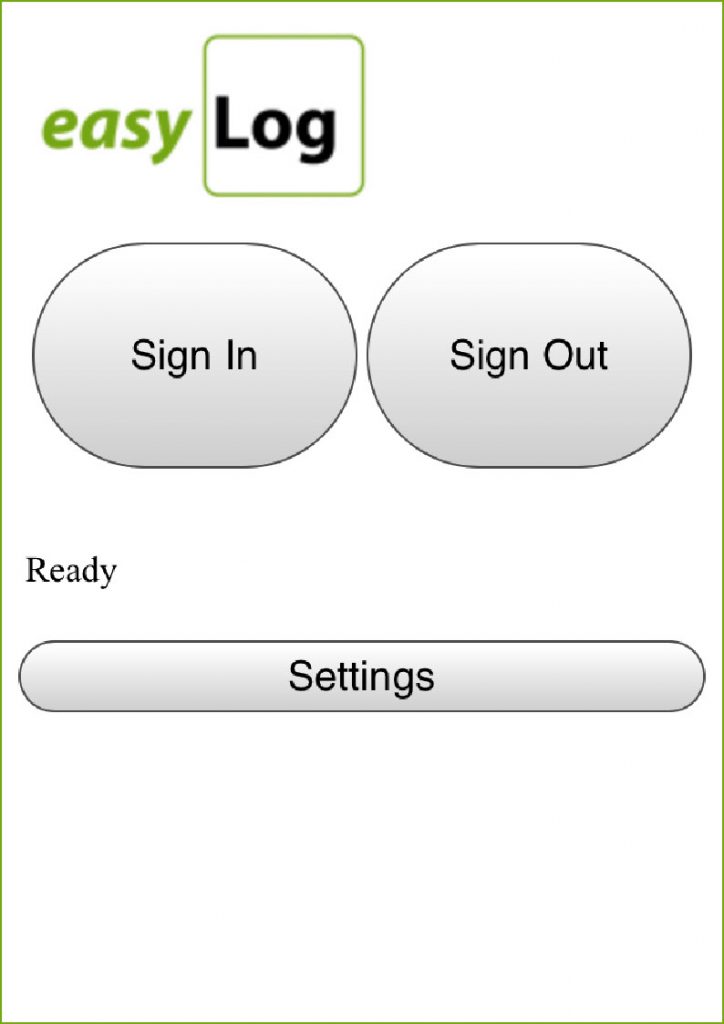
And that’s it. When the employee uses the app they are presented with large, clear buttons that they touch to record if they are arriving or leaving a site. There are other user-settable options also to enable the additional clocking in or out from a break and a panic alert feature that will automatically send an email to defined individuals on pressing.
If you would like to know more about these features, other apps in our range and the time and attendance and staff scheduling modules with which they integrate, please call on 01892 834406 or send us an email.
Whatever industry you are in or service your provide, you are probably finding that smartphones and tablets are increasingly finding their way into your working life – and are becoming just as indispensable as they are for social and leisure activities. The numbers speak for themselves.
Back in 2010, just a fifth of UK mobile phone users had a smartphone, according to eMarketer. Today, that figure is around 80 per cent. The trajectory of tablets has been even more rapid, with more than half of the adult population using one regularly by 2015 – up from a third in two years.
Harnessing the popularity of smartphones and tablets
Although it’s impossible to predict the future of emerging technology trends, we could see early on that mobile devices were going to have a major impact on the management of everyday tasks – and so easyLog began developing convenient app versions of key products from the start.
Initially we focused on apps for Android devices to keep costs down for customers. But as more people began using Apple and Windows devices, we have been able to offer more apps for iOS and Windows Mobile – such as our highly successful multi-location geolocation and QR code staff clocking app, Locate and Clock.
The popularity of these time-saving and simple-to-use apps has inspired easyLog developers to create smartphone and/or tablet versions of several of our other flagship products and increase the functionality available of apps already in the marketplace.
Expanding our app functionality and product range
The Care Logger smartphone app, for example, which is designed for domiciliary care staff, will soon be released with the option for carers to view their rotas, clock-in and view call information. Meanwhile, managers will be able to use the same app to schedule and reschedule calls.
We also have a remote clocking app in the pipeline that is appropriate for a wide range of business sectors. As always we are guided by making routine and complex tasks as quick and easy to perform for everyone involved, saving employers time and money. The move to mobile has really been something of a revolution for us and our customers and we don’t see any sign of it slowing down yet.
When you’re choosing a home care system, the chances are you’ll have a long list of boxes that need to be ticked. But we know from talking to our customers that often it’s the less obvious features that prove most valuable in terms of saving time and making delivering quality care that little bit easier.
The following functions of our Home Care Studio software may not be top of your checklist – but we think that once you’ve tried them you’ll wonder how you ever managed without them.
Reviewing care plans on the move – on a phone
Our Care-Logger app enables carers to carry out evaluations and assessments as well as view care plans and tasks associated with client visits wherever they are via their smartphone – even when there is no internet connection. It can also be used to view and manage rotas and as a clocking device for ultimate flexibility and convenience.
Set an ideal rota
We know most providers like to send a familiar carer face to their service users – and that most carers want some certainty over their rota. So that’s where the ideal rota comes in. A powerful and flexible function that allows you to define carers’ regular visit routes and then use this as the basis for the weekly rota.
Log client visits by mobile phone
When time is money, an accurate and cost-effective visit tracking system is essential. One that is proving particularly popular with our home care customers is visit logging by smartphone. Using QR codes (smart barcodes), NFC tags or GPS global positioning technology, all are simple to use, highly efficient and surprisingly inexpensive.
Update records on the go
With our specially-designed care-Logger app, carers can make visit notes directly into client records using their phones – no uploading or transcribing required. And to save even more time and bother, you can easily set up existing assessments in Home Care Studio.
It’s not just about home care…
Our Home Care Studio software has flexibility built in – which means it’s equally suitable for supported living and agency care providers. This is particularly useful for customers who have multi-faceted care businesses.
Personalise your invoices
You can customise your company invoicing by adding your own logo and adjusting the layout, creating a consistent, professional look and feel across your paperwork.
Easy access to policies and procedures
Our policies and procedures section means staff can quickly and easily find important information when they need it, saving time and helping to ensure best practice is adhered to at all times.
CM2000 interface
Because we know that, in the real world, larger care organisations especially use a variety of management tools, we have made our software compatible with other leading providers, such as Care Management 2000 for smooth transitions between systems.
Client contributions made easy
Our invoicing section takes into account different payment structures, including client contributions, saving time and reducing billing-related headaches.
Reports with everything
Whatever kind of report you want and however you want it presented, you’ve got it. You can even access a mileage report from Google Maps if you want.
If you want to know more about our software for care providers or any of the points above, request a callback from one of our team or contact us by phone or e-mail.
The latest version of our multi-platform clocking app for iPhone can now be used with a QR code, or smart barcode – providing even more flexibility for cost-conscious employers.
As well as a choice of clocking methods, our smartphone clocking app offers a variety of possible data location options – making it suitable for a huge variety of working situations and employees. You can also choose what client and employee details are returned with the clockings, as well as whether you want the data sent to the chosen server immediately or held for subsequent download.
All our clocking options log location details, date, time and device ID automatically.
Clocking in (and out) with a smartphone just got as easy as scanning a tin of beans at the supermarket with the addition of a QR code option in our multi-platform employee clocking app.
QR, or quick response, codes are the 21st century version of the barcode. Developed for their readability and superior data storage capacity, they comprise a number of square black dots arranged on a white background across a square grid. The QR code image is easy to produce and can be placed on a sticker or in a folder, for example, so it can be used in a wide variety of locations.
QR codes can now be read and interpreted via smartphones simply by pointing the phone’s camera at the image. The location data read is then sent back to the host with timestamp and phone id, making QR codes an extremely versatile alternative or addition to the other location services provided on our clocking app.
Like the other staff clocking options on the app, clocking via QR code has been tested on Android, iOS and Windows phones.
Find out more about our QR code attendance apps on our employee clocking web page or by requesting a callback.
Phone us now on 01892 834406 or request a callback